A notebook you can draw in.
Infinite canvas, real notebooks and pages, and nothing leaves your computer unless you choose to share it. No account. No cloud sync. Open it and start.
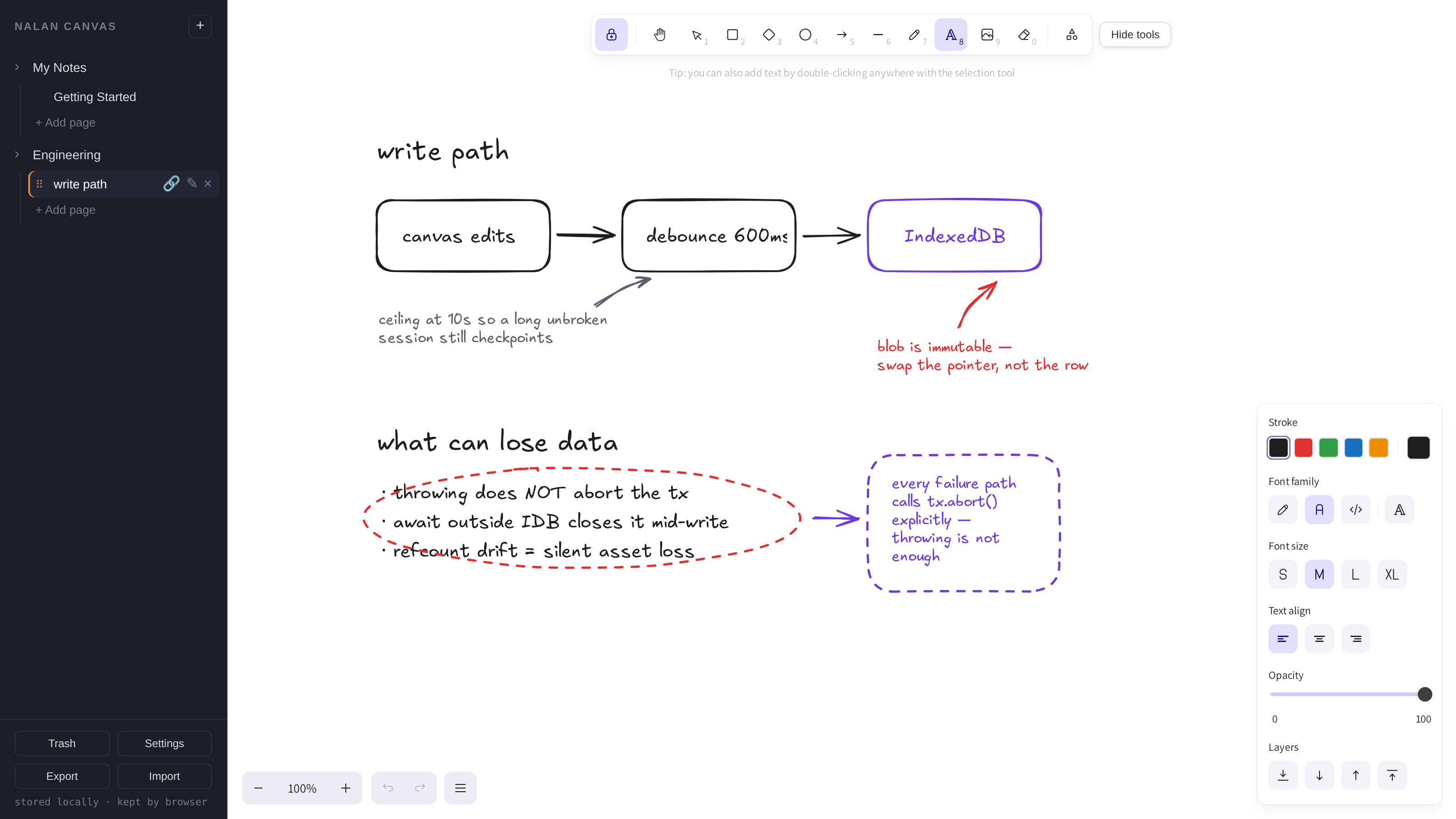
The canvas is the page
Most note apps give you a text box and let you attach a drawing. Nalan Canvas gives you a canvas and lets you type on it.
Sketch an architecture diagram. Annotate it. Draw an arrow to the thing that breaks. Your notes can finally look the way you actually think.
What you get
Organized like a real notebook
Notebooks hold pages. Pages hold whatever you want — text, shapes, freehand, images. Drag to reorder. Close a notebook to get it out of the way, or delete it to trash and recover it if you change your mind.
Your notes stay on your machine
They live in your browser's storage on your device, and on desktop Chrome or Edge you can point Nalan Canvas at a folder and it keeps a rotating backup there automatically. Open the app and it makes no network requests at all — that isn't a promise, it's an automated check that runs on every build.
Share by link, encrypted before it leaves
When you want someone to see a page, publish it. It's encrypted in your browser first, and the key travels in the part of the URL that browsers never send to any server. What we store is bytes we cannot read. Unpublish and it's gone. You never have to use it.
Yours to take with you
Export a notebook as JSON or PDF whenever you want. The JSON is versioned and checksummed, and the format is documented — so you can read it without us, and import it back here or anywhere. No lock-in, no export tier.
Local-first means real tradeoffs. Here they are.
Your notes live in this browser on this device. They don't follow you to your phone or your other laptop.
Clearing your browser data deletes them, the same way it would delete anything else stored there.
So keep a copy you own. On desktop Chrome or Edge, point Nalan Canvas at a folder and it backs up there by itself. Everywhere else, export is one click and the file is yours. Think of it like saving a document, because that's exactly what it is.
Sharing works today — read-only links, encrypted, entirely opt-in. Sync across your own devices is not built yet. It will be optional too; you'll never need it to keep using what you have.
Questions
Do I need an account?
No. There's nothing to sign up for and nothing to verify. Open it and write.
Where are my notes stored?
In your browser's local storage, on your device. On desktop Chrome or Edge you can also have Nalan Canvas mirror a backup into a folder you choose. Nothing is uploaded anywhere unless you publish a share link.
Does it work offline?
Yes. After the first load, Nalan Canvas doesn't need the internet at all.
Can I share a note with someone?
Yes, and it's the only thing that ever leaves your device. Publishing encrypts the page in your browser and uploads only the ciphertext; the decryption key lives in the # part of the link, which browsers never send to a server. Anyone with the link can read it, so treat the link itself as the password. Unpublish at any time — it stops resolving within a minute.
Can I use it on my phone and my laptop?
Not with the same editable notes yet. Export the notebook on one device and import it on the other, or publish a share link to read it anywhere. Sync is planned.
What happens if I clear my browser data?
Your notes go with it. Set up the backup folder, or export first — that file is your backup.
Is it free?
Yes, and it stays that way. Everything on your own device is free permanently. If Nalan Canvas is useful to you, there's a coffee link in the footer.
Can I get my notes out?
Any time. Export gives you a file you own, in a documented, checksummed format you can read without us.